Technical Analysis Charting Software Provider


Home                                    
Welcome                               
WinChart TM                          
WinChart Downloader             
WinChart Training Courses      
Supports and Services            
Subscriptions  Fee                 
Subscribe Now                       
Request a Free Demo             
Contact Us                            
About Straits Index Sdn Bhd   
Online Guide to WinChart       
Frequently Asked Questions   

About Technical Analysis        
Technical Analysis Tutorial      
Market Analysis                   
 

Guide to WinChart

Please Visit our New Website


  Guide 1 : WinChart™ Installation 

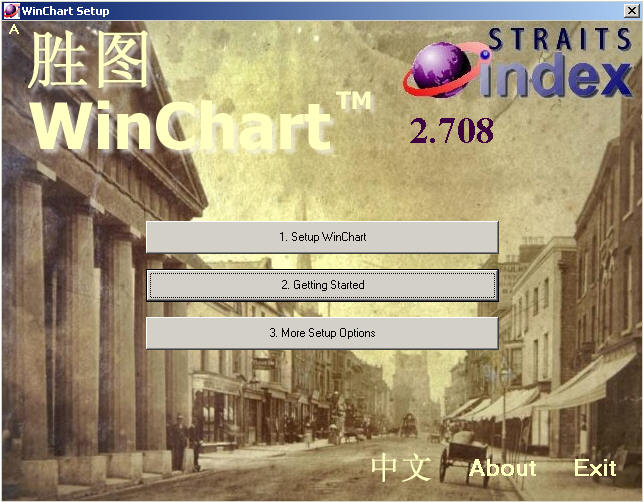
  1. Insert CD installer into CD ROM Drive, installation program will start to run.
  2. Click on [Setup WinChart] to start install WinChart™.

      
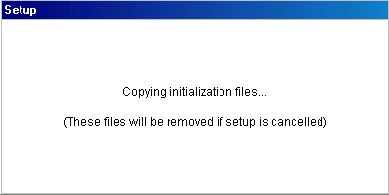
  3. If you can see the following window, it mean the setup application has been started.

      
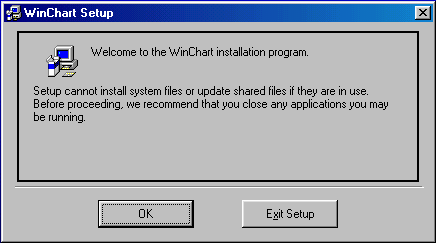
  4. Close any application you may be running, press the OK Button to continue setup or Exit Setup Button to exit.

      
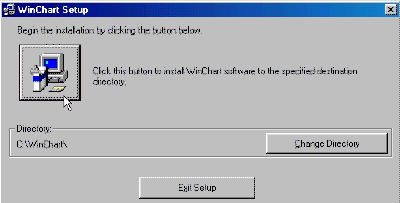
  5. The default WinChart™ installation directory is C:\WinChart\ . To install into the default directory please click the Setup Button. Click Exit Setup Button to exit from the installation process.

      
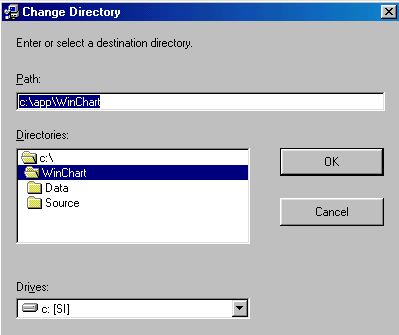
  6. You can click the Change Directory Button to change the installation directory such as C:\app\WinChart\. Key in the full path of the directory or select it from the Directories List View.
  7. Select the drives from the Drives List View. Click OK Button to exit from WinChart™ Change Directory window with the new path or click Cancel Button to accept the default directory.
  8. After change the directory, click OK Button and then click the Setup button again. If you want to change the directory again. You can click the Change Directory Button to change the installation directory.
  9. Setup process will check for necessary disk space.
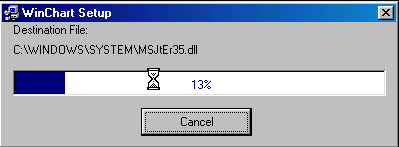
  10. After that Setup process will be running.

      
  11. Setup will update your system configuration.

      
  12. Program icon will be created in your computer during the setup process.

      
  13. Finally, WinChart™ Setup was completed successfully, click OK Button to exit from setup.

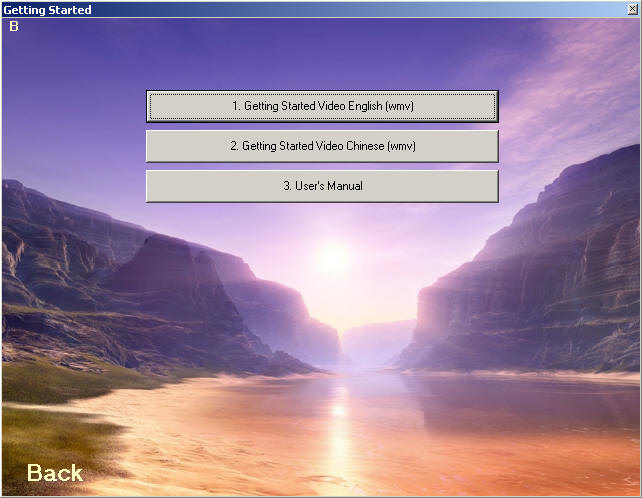
WinChart Installation CD comes with a Quick Guide to WinChart video, as well as an online user's manual. Simply click on the Getting Started button to view the video and the online user's manual.


Copyright © 1998-2005 Straits Index (M) Sdn Bhd. All Rights Reserved.
15-1, Jalan SP 2/1,Serdang Perdana, Sec. 2, 43300 Seri Kembangan, Selangor, Malaysia.
Tel : 603 - 8941 6828      Fax : 603 - 8941 9828      E-Mail :
info@straitsindex.com

Powered by:
Intellectronics Sdn Bhd